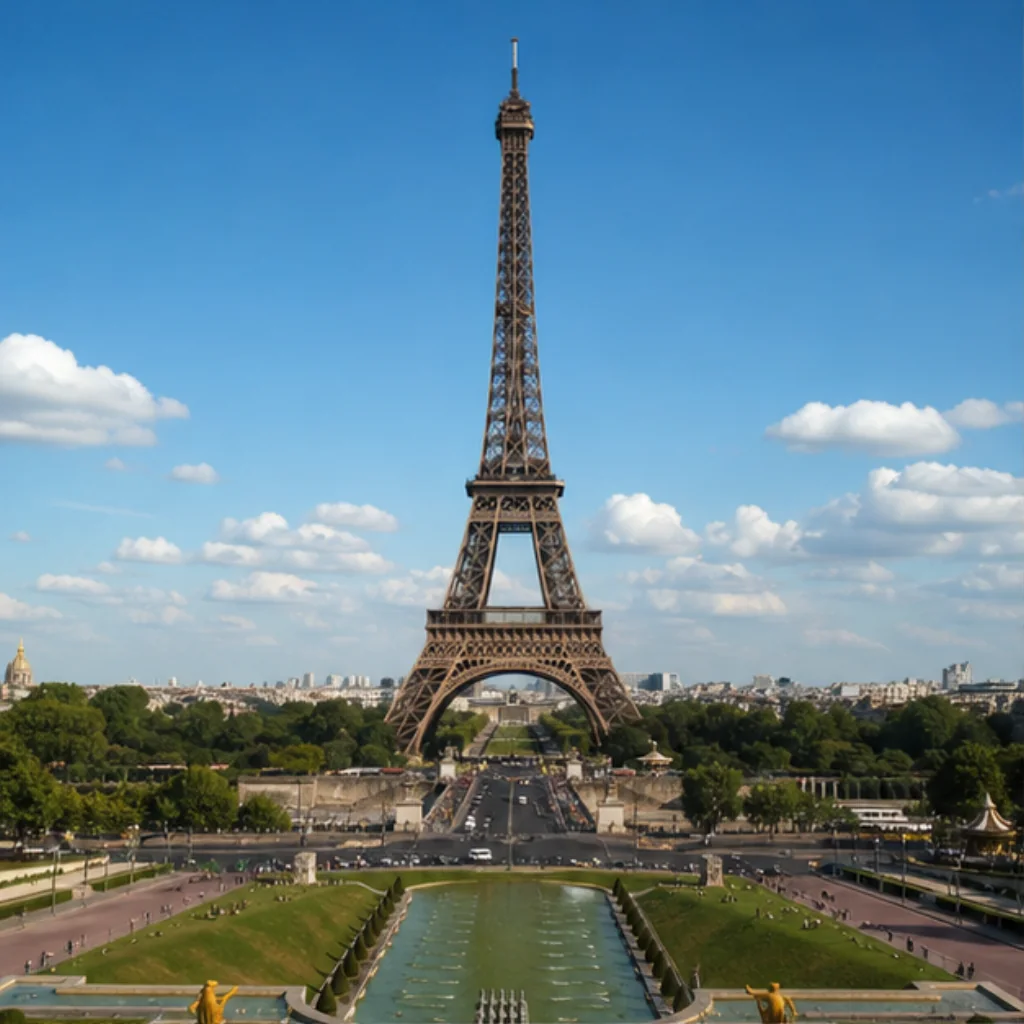
The difficult part of personal Eiffel Tower photos is scale. The tower can fill the frame while the person becomes almost impossible to recognize. Move closer to the person and the structure may no longer fit. Before looking for a famous camera position, decide which of those two subjects should carry each photograph.
A small set is enough to remember the visit: one view of the tower, one portrait, and perhaps a detail you noticed yourself. Give each picture a clear purpose and you will have less reason to repeat the same pose. This guide suggests ways to make those choices; it does not promise an empty viewpoint or describe conditions observed on your travel date.
Make two frames instead of one compromise
For the wide photograph, look at the tower’s outline and the space around it. Leave enough margin that the top does not feel squeezed against the edge. If you include a person, accept that their role may be to show scale. A small figure in an expansive setting can be a useful picture even when it is not a detailed portrait.
For the second frame, bring the person closer to the camera. Choose how much of the tower you need to keep the place recognizable, then let the rest leave the frame. Watch the background around the head and shoulders: a strong structural line can become distracting when it seems to pass through a face.
Review those two images together. If one tells you where you were and the other brings back an expression or a moment, they have done their jobs. You do not need to keep widening the portrait until both subjects fit equally. That often produces a picture in which neither the person nor the structure receives much attention.
Choose a viewpoint that fits the rest of the visit
A distant view and a visit to the tower are different parts of a day. Use a current map to choose permitted pedestrian positions and the connection between them. If someone in your group has particular access needs, resolve those before committing to a route built around a saved photograph. A picture rarely shows the approach that made it possible.
If you have booked an ascent, make that booking the fixed point. The official Eiffel Tower planning guide explains arrival and security checks. Leave time for those arrangements rather than assuming a photo stop outside will take exactly as long as you hoped. Check the current guidance close to your visit because access arrangements can change.
Choose in advance which picture you can skip if time becomes tight. You might keep a quick portrait and move the wider view to another outing. Or you might take only the scene photograph and give the booked visit your full attention. The useful decision is the one that preserves what you came to enjoy, whether that is the view, the structure, or time with someone.
Give a helper one instruction they can follow
When asking another visitor for a photograph, establish the composition first. Show them the frame on your phone and point out what should remain visible. “Please keep the top of the tower and some space above it” gives a clearer task than asking for a good travel photo. For a closer portrait, show the intended crop instead.
Keep the request short. Ask for a few frames, use one comfortable position, then check whether the essentials are visible. Look at your expression and the edges of the image before worrying about tiny background details. If something important is missing, describe one adjustment and ask whether they have time for another picture.
If a companion is taking the photograph, swap roles from roughly the same position. That gives both of you a picture without restarting the whole process. For a solo visit, it is also fine to keep an ordinary handheld photograph. A slightly imperfect image of an actual moment can matter more later than the portrait you spent the rest of the visit trying to arrange.
Work with the scene that is actually there
When a background is busy, consider a tighter portrait instead of waiting indefinitely for everyone to leave. Check that you still have a clear, permitted place to stand and that the camera position leaves room for other pedestrians. A smaller background gives you fewer moving elements to manage while keeping the tower recognizable.
Light can make a face and a large structure difficult to expose together. Take a moment to look at both on the screen. A modest change in framing or the direction the person faces may help. If the choice is between a clear expression and a perfectly rendered sky, let the purpose of that particular photograph decide.
Set a stopping point before the session expands. Once you have a usable scene photograph and a portrait you like, put the phone away for a while. You may notice a better moment later, but it does not need to become another assignment. Keep the photographs that recall your own visit rather than measuring the day against a reference image made under different conditions.
Complete the visit check before making a creative Memory
The Eiffel Tower Landmark page introduces three Unlocked Experiences: Trocadéro Morning, Champ de Mars on Film, and Tower Blue Hour. These are generated creative directions. The name Trocadéro Morning does not mean that a photograph from Trocadéro, or simply seeing the tower from there, satisfies the Eiffel Tower unlock.
Open the Landmark in the app, choose Unlock inside its supported area, and confirm that the current location check succeeds before leaving. Respect any access restriction when approaching that area. After a successful unlock, you can choose an available Experience, select your reference photos, and create a private Memory later. An old photograph cannot replace a location check you missed.
Keep the camera photographs as your record of the actual scene. A generated Memory gives you another way to interpret a place you visited; label it as generated when sharing. The Paris collection includes seven supported Landmarks, each with its own unlock. If your next plans involve galleries or the monument at Place Charles de Gaulle, use the Louvre and Arc de Triomphe guide to give those visits their own time and photographic purpose.
Useful details
Frequently asked questions
Do I need the entire Eiffel Tower in every portrait?
No. Keep a full view as one photograph, then make a closer portrait using a recognizable part of the structure. You can preserve the setting and a readable expression across two different pictures.
Can I unlock the Eiffel Tower while photographing it from Trocadéro?
A viewpoint does not establish that you are inside the supported unlock area. Open the Eiffel Tower Landmark and complete its location check in the app; seeing the tower or holding a photograph does not replace it.
Does an Unlocked Experience include a ticket to the tower?
No. Arrange tower admission through the venue and follow its arrival and security guidance. Unlocked provides generated Memories after a verified Landmark visit, with no ascent, reserved viewpoint, or private photo session included.
Source notes
Sources
This article was prepared with editorial automation using the source pack below.
- Paris Landmarks and ExperiencesUnlocked
- Planning a smooth visit to the Eiffel TowerSociété d’Exploitation de la Tour Eiffel