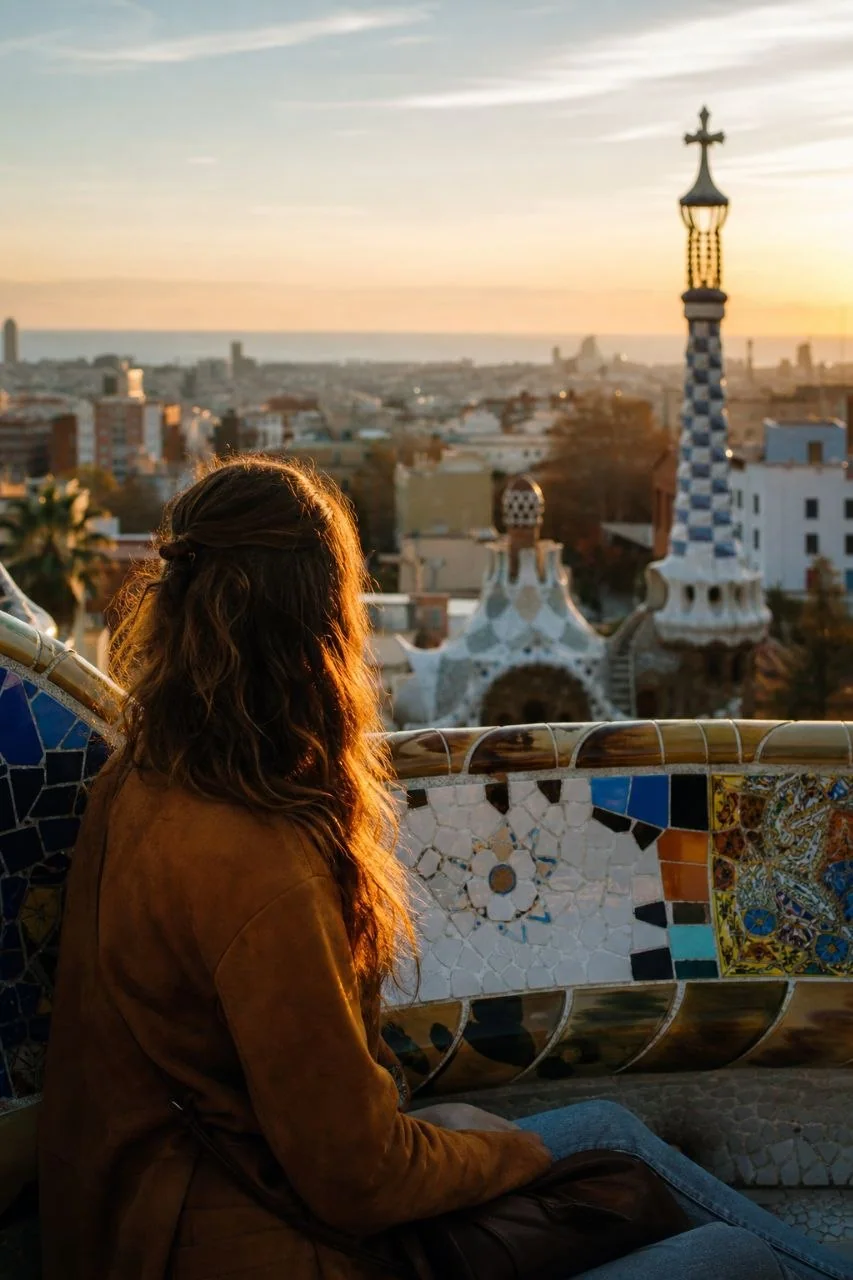
After a verified visit unlocks a Landmark in Unlocked, you gain permanent access to that Landmark’s curated Experiences. You can choose one and create a Memory now or later from home. That is the practical answer to what happens after a landmark unlock: the visit earns access, while the creative step can wait. A finished Memory becomes part of My World, your digital travel passport.
What Happens After You Unlock a Landmark?
An Unlock makes a Landmark’s Experiences available; it is not the same thing as creating a finished Memory. Unlocked separates the record of your arrival from what you choose to make afterward.
The consumer flow follows a clear sequence:
- Physical presence: You are at the Landmark, and your visit is verified.
- Landmark Unlock: The Landmark’s curated Experiences become available to you permanently.
- Experience: You select an editorial treatment for your Memory.
- Memory: You create the image connected to that Landmark and Experience.
- My World: The finished Memory joins your digital travel passport.
These stages serve different purposes. The Unlock establishes “You’ve been here.” The Experience gives you a curated creative choice. The Memory is the resulting image, and My World places it alongside your wider travel history.
Unlocked is a native travel app rather than a generic image generator. Its Experiences are a reward for a verified visit, not a substitute for visiting. For more on the arrival side of the process, see how location-based travel apps reward arrival.
Timing: what happens after a landmark unlock
You do not need to create a Memory while you are still at the Landmark. Once unlocked, the Landmark’s Experiences remain available permanently, including when you return home.
That distinction matters during a visit. You can complete the Unlock and leave Memory creation for a quieter moment, rather than treating the entire process as something that must happen before you walk away. Your access to the Experiences does not depend on making an image immediately.
It also helps to separate two timing questions. When may you create a Memory? Later is explicitly supported. How long does a Memory take to finish? The supplied product information does not give a completion time, so there is no basis for promising an instant result or a particular waiting period.
Permanent access describes the availability of the unlocked Experiences. It should not be read as a promise of unlimited, free Memory creation. The product documentation refers to credits used for Memories but does not establish a price or allowance here. Access, creation time, and creation cost are separate questions.
Choose an Experience, not an open-ended editing task
An Experience is a curated editorial choice that shapes the Memory you create. Unlocked names examples such as Empty Park, Golden Hour, and Gaudí Editorial.
Those examples show the kind of decision the app puts in front of the traveler: selecting a photographic treatment rather than starting with a blank creative brief. The underlying photographic direction is handled by Unlocked. You choose from the Experiences available for the Landmark you have unlocked.
The product’s promise is “You were there. Now get the impossible photo.” The first half matters as much as the second. Your physical visit earns access; the Experience then offers a creative interpretation connected to that place.
The resulting Memory is generative content, identified by a clear, quiet disclosure. It is therefore useful to distinguish the verified visit from the appearance of the finished image. The Unlock records your presence; the image’s editorial treatment is not a claim that the scene looked exactly that way during your visit.
This is the connection explored in why travel memories start with being there: the visit comes first, and the creative keepsake follows it.
Create a Memory when you are ready
Memory creation is a separate step that uses your chosen Landmark and Experience together with personal photo material. Unlocked’s privacy documentation describes reference photos and, when used, a current-look photo as part of that process.
Before creating, it is worth understanding where those photos go. Memory creation sends reference images and any current-look photo to OpenAI, together with the selected Landmark and Experience, visit date and time-of-day context, and any optional aesthetic instructions. Private storage does not mean the photos never leave Unlocked for processing.
The documentation describes a Photo permission consent flow and a control for withdrawing consent from the Privacy screen. It also states that Unlocked does not perform facial recognition, compare identities, create biometric embeddings, or sell face reference images. These are distinct points: using a photo for Memory creation is not described as identifying a person through facial recognition.
For a traveler, the practical decision is whether you are comfortable with that use of your photos before you create. The Unlocked Privacy Policy is the appropriate place to review the details. There is no need to make that decision hurriedly at the Landmark simply to preserve access to its Experiences.
Find your finished Memory in My World
A finished Memory appears in My World, Unlocked’s restrained digital travel passport. My World brings together a map, city progress, unlock dates, and generated Memories.
That gives the image context. Rather than standing alone as an unrelated picture, it sits with the record of where you have been. The Unlock and its date remain meaningful parts of the passport, while the Memory adds a visual keepsake from the Experience you selected.
The app also lists Memories as one of its primary destinations, alongside Explore, My World, and Profile. The essential answer to “where does it go?” is that the finished image belongs to your Unlocked travel collection and appears within My World.
My World deliberately avoids points, XP, leaderboards, and public feeds. Unlocked is not a public social network, and creating a Memory does not automatically publish a gallery. Its privacy documentation separately describes optional Public Passports made from explicitly selected content. Creating a personal Memory and choosing content for publication are different actions.
Deleting a Memory does not undo your Unlock
You can permanently delete an individual Memory without losing the Landmark Unlock. Unlocked places that action in the Memory’s detail menu and requires confirmation.
This makes the travel history and the image independently useful. You might want to keep the record that you visited a Landmark without keeping every Memory you created there. Deleting the last Memory empties the gallery while retaining your earned travel history.
Deletion does not refund the credits spent creating the Memory. It also does not remove copies already saved or shared outside Unlocked. If you have exported an image elsewhere, deleting it in the app should not be treated as deleting every copy.
As general advice when evaluating a travel experience app, check three things separately: what a verified arrival earns, whether the creative step can wait, and what remains if you remove the finished image. In Unlocked, those answers are permanent access to the Landmark’s Experiences, creation later from home, and retained travel history after Memory deletion.
If that fits how you want to remember a trip, explore the Unlocked product overview. The key choice after an Unlock is simply which Experience you want to turn into a Memory—and when you are ready to do it.
Useful details
Frequently asked questions
What happens after you unlock a Landmark in Unlocked?
The Landmark’s curated Experiences become permanently available. You can select an Experience and create a Memory, which becomes part of My World alongside your travel history. The flow is physical presence, Landmark Unlock, curated Experience, Memory, then My World.
Do you need to create a Memory while still at the Landmark?
No. Once you have unlocked the Landmark, its Experiences remain available permanently, so you can create a Memory later from home. Being at the Landmark matters for the Unlock; you do not need to complete Memory creation before leaving.
Where does a finished Memory appear?
A finished Memory appears in My World, Unlocked’s digital travel passport, alongside a map, city progress, and unlock dates. Memories is also a primary destination in the app. Creating a Memory does not automatically publish it to a public gallery.
Source notes
Sources
This article was prepared with editorial automation using the source pack below.
- Unlocked product overviewUnlocked
- Unlocked Privacy PolicyUnlocked