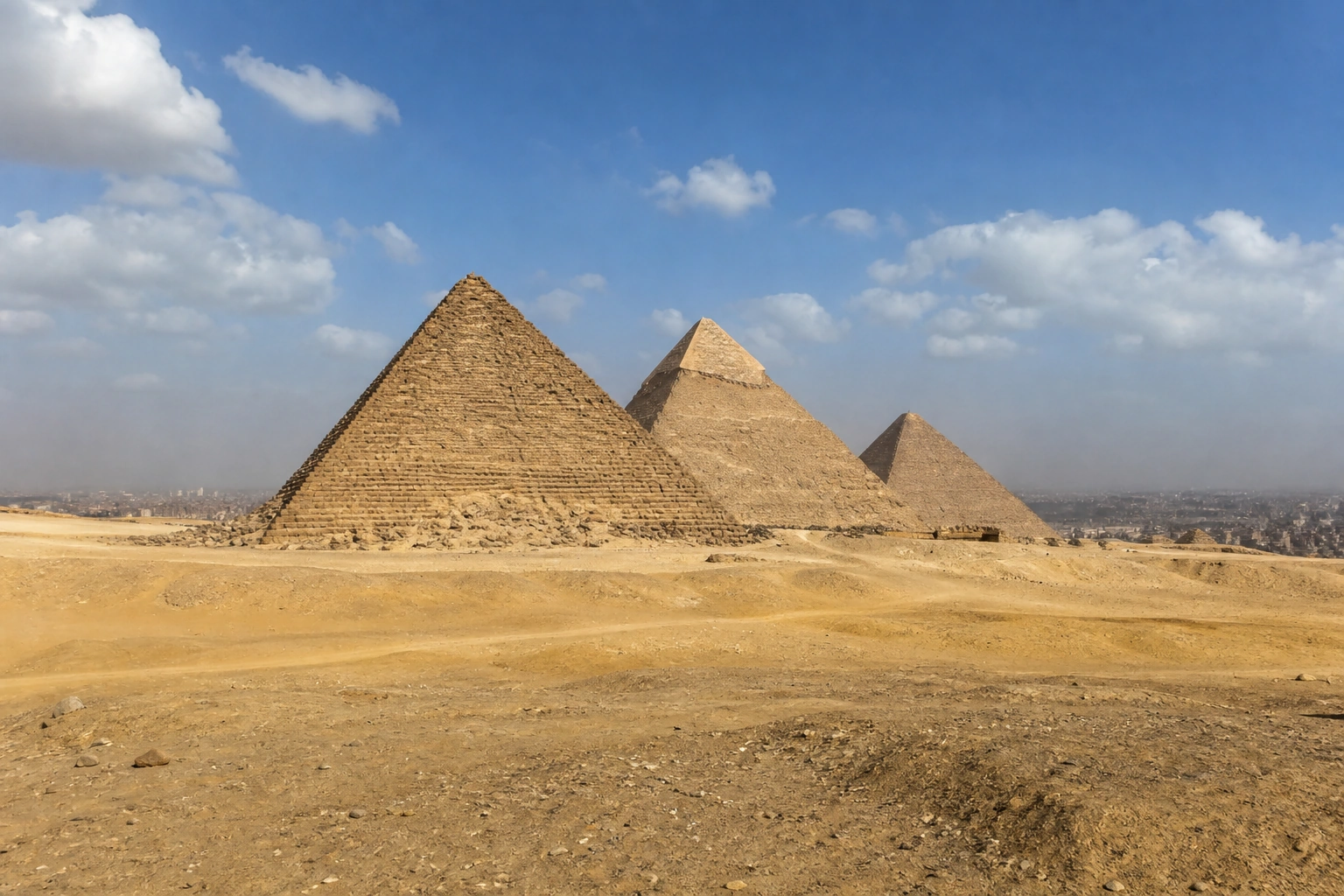
Personal Giza Pyramids photos ask the camera to describe two very different scales. The pyramid needs room to feel substantial, while a face needs to be large enough to recognize. Trying to solve both in every image can leave you with a distant figure or an awkwardly cropped structure. A pair of photographs gives each subject a clearer job.
Begin with the visit you want to remember. You might care most about seeing the whole plateau, spending time with one pyramid, or sharing the outing with a companion. Choose a small set of pictures around that purpose and leave space for the experience itself. The advice here is a planning approach, not a report of conditions on your travel date.
Give Giza its own place in the schedule
The Cairo & Giza collection includes the pyramid plateau in Giza alongside six Landmarks in Cairo. That shared collection name does not turn them into one compact walking route. Plan the plateau excursion separately, including your arrival, return, and any interior visit you actually want. Use current transport and venue information for the date rather than building a schedule from a photograph’s location tag.
The Ministry’s Giza Plateau page distinguishes area entry from access to particular pyramid interiors and other monuments. Check the current options before making a booking. Decide whether going inside is important to you, then protect time for that choice instead of treating it as something to add after a long portrait session.
Keep the photo plan short enough to change. Choose one scene picture and one personal picture as your essentials; additional frames can depend on how the visit unfolds. Leave time for a pause and for everyone in your group to look without a camera. If the outing becomes more tiring than expected, reducing the number of positions is a useful adjustment, not a failed visit.
Let the wide photograph establish the scale
At a permitted viewpoint, begin by looking at the pyramid outlines and the space between them. Decide which structure should lead the image. Leave room above its peak and check the edges of the frame for distracting cutoffs. You can include a small person to show scale without expecting that photograph to work as a detailed portrait.
The Giza Pyramids Landmark page introduces the setting and the app’s three Experiences. For your camera image, use the actual view available to you. A saved panorama may have been made from a different location, with different access or visibility. There is no need to reach its exact position to keep a meaningful photograph of your own visit.
Take one wide frame and look at it before moving. If the outlines overlap, consider a modest change within the permitted viewing area. If there is no useful alternative, simplify to one pyramid. Do not climb masonry or cross a rope to separate two shapes. A composition that works from the visitor route is a better plan than one that depends on leaving it.
Move the portrait closer to the camera
For the personal photograph, bring the person closer in the frame while preserving enough of the pyramid to identify the setting. This can mean changing the camera position or making a tighter composition from where you are allowed to stand. Watch the gap between the pyramid’s peak and the person’s head; when they touch, both shapes become harder to read.
Give a helper a clear instruction. Show the frame on the screen and say which outline should stay visible, then ask for a short set. Choose one comfortable position and check the result before changing anything else. A specific request such as keeping space above the peak is easier to follow than asking someone to recreate a complex reference image.
If a companion takes your picture, swap roles after checking the framing. If you are alone, a simple handheld portrait can still recall the outing. The aim is a photograph you recognize yourself in, not a technically perfect image at any cost. Keep an expression you like even if the whole plateau does not fit around it.
Adapt to the light and the visit you have
An expansive scene can make a bright sky and a readable face difficult to capture together. Check the person first in the portrait frame, then the pyramid outline. If one is lost, try a different framing or orientation within your permitted position. Save the broader scene for another image instead of insisting that a single exposure describe everything equally.
If distant detail is soft, give more attention to the outline and the person. If the background is busy, narrow the view. If the group is ready to move on, keep the usable photograph you already have. Taking a larger number of almost identical frames will not necessarily solve a condition that your camera position cannot change.
Avoid making an additional service part of the photo plan by accident. Transport, a guide, an animal ride, or a physical photography session are separate choices with their own arrangements. None is required by Unlocked. Decide what you want before accepting an offer, and keep the original purpose of your visit clear when someone proposes another camera position or activity.
Confirm the unlock before leaving the supported area
Open Giza Pyramids in Unlocked and choose Unlock while inside its supported arrival area during a permitted visit. Confirm the result before leaving. The app does not treat every place with a pyramid view as the Landmark: a distant hotel, museum, or panorama can fall outside the supported area. Respect access restrictions rather than trying to reach an exact map point through a barrier.
After a successful unlock, choose Desert Scale, Limestone Glow, or Plateau on Film when you are ready to create a private Memory. Those names describe generated creative treatments. They do not reserve a viewpoint, predict the light, or provide proof that you stood in the exact scene shown by a preview. Your first GPS unlock grants one welcome credit once per account.
Keep your original camera photographs for the day’s actual conditions and moments. A generated Memory offers another way to interpret a place you visited; identify it as generated when sharing. When planning the Cairo part of your trip, the Cairo architecture and market photo guide helps give courtyards, city views, and working market lanes their own attention.
Useful details
Frequently asked questions
Does the Cairo collection include the pyramids in Giza?
Yes. The public collection is labelled Cairo & Giza and includes the Giza Pyramids Landmark alongside six Cairo Landmarks. Plan the plateau as a separate excursion rather than an extra stop on a historic-Cairo walk.
Can I unlock Giza from a hotel or a nearby museum?
A view of the pyramids does not establish that you are in the supported arrival area. Open the Giza Pyramids Landmark and complete its current location check during a permitted visit; confirm success before leaving.
Does an Experience include entering a pyramid?
No. Site entry and pyramid interiors have venue-managed ticket arrangements. An Unlocked Experience creates a private generated Memory after a successful Landmark unlock; it includes no admission, transport, guide, or physical photo session.
Source notes
Sources
This article was prepared with editorial automation using the source pack below.
- Cairo & Giza Landmarks and ExperiencesUnlocked
- Giza Plateau and admission scopeEgyptian Ministry of Tourism and Antiquities